Guides › Apps
How to stop Apple Music from opening automatically on Mac
Updated 3 November 2026 · by Vistaar Studio
Short answer: Music isn't opening by accident. Your headphones or keyboard send a play command, and when nothing else is playing, macOS opens Music to handle it. Apple has no switch to turn this off, so the fix depends on the trigger: change your AirPods' Connect to this Mac setting, untick Automatically sync when this iPhone is connected in Finder, remove Music from Login Items, or use a small blocker app.
You sit down, pop your AirPods in, and Music jumps up and starts playing a song you haven't heard since 2019. People have complained about this on Apple's forums for years without an official fix. Below is why it happens and every way we know to stop it, starting with the ones that don't touch anything risky.
Why Music keeps opening
macOS has a small background process called rcd, short for Remote Control Daemon. It handles the play/pause, next and previous commands that come from your keyboard's media keys and from headphone buttons. When a play command arrives, rcd looks for an app that's already playing audio. If there isn't one, it opens Music, Apple's default player.
The trick is that you don't have to press anything for a play command to be sent. Bluetooth headphones and AirPods often send one when they connect, when you put them in your ears, or when a call ends and they switch back to music. So "my AirPods opened Music" really means "my AirPods pressed Play, and Music answered."
Music's own settings don't help here: we went through the Music app's settings on macOS 26.2 and found no option to stop it opening this way.
1. AirPods or Bluetooth headphones
If Music opens when your AirPods connect to the Mac on their own, stop them connecting automatically. Your Mac then only uses them when you choose it:
- Wear the AirPods (or have them connected), then open System Settings and click your AirPods' name in the sidebar.
- Find Connect to this Mac and change it from Automatically to When last connected to this Mac.
This cuts down the surprise connections, but it doesn't change rcd. If the AirPods do connect and send Play, Music can still open. Other Bluetooth headphones don't have this setting, so for them, skip to methods 4 and 5.
2. When you plug in your iPhone
Since macOS Catalina, iPhones sync through Finder rather than a music app. If your Mac starts syncing (and Music or Finder pops up) every time you plug in a cable, turn off automatic sync:
- Connect the iPhone and open a Finder window.
- Click the iPhone in the sidebar under Locations, then click General in the row of tabs.
- Untick Automatically sync when this iPhone is connected and click Apply.
The setting is per device, so repeat it for an iPad. You can still sync whenever you like with the Sync button.
3. When you log in
If Music appears every time you start the Mac, it's probably a login item:
- Open System Settings › General › Login Items & Extensions. Under Open at Login, select Music and click the minus button.
- Or Control-click Music's icon in the Dock and choose Options. If Open at Login has a tick, click it to remove the tick.
4. Terminal: switch off rcd (use with care)
The best-known fix stops rcd itself. It has been passed around Mac forums for years. Open Terminal and run:
launchctl unload -w /System/Library/LaunchAgents/com.apple.rcd.plistTo undo it:
launchctl load -w /System/Library/LaunchAgents/com.apple.rcd.plistBefore you try it, here's what we know and what we don't:
- Verified: rcd still exists on macOS 26.2 at that path. We checked it on our test Mac, read-only, without disabling anything.
- Reported, not tested by us:
unloadis an older form of launchctl, and some users say the trick is less reliable on newer macOS. The newer form some people suggest islaunchctl disable gui/$(id -u)/com.apple.rcdfollowed bylaunchctl kill SIGTERM gui/$(id -u)/com.apple.rcd, undone withlaunchctl enable gui/$(id -u)/com.apple.rcdandlaunchctl kickstart gui/$(id -u)/com.apple.rcd. As far as we can tell, these commands only tell launchd not to start rcd for your user account; they don't edit the protected system file, so System Integrity Protection doesn't need to be turned off. - The catch: people report that with rcd off, the play/pause and skip keys and headphone buttons stop controlling every player, not just Music. Spotify, YouTube in your browser and podcast apps lose them too. Volume keys are reported to keep working.
If you rely on media keys, a blocker app (below) is the gentler option.
5. Free blocker apps
noTunes is a free, open-source menu-bar app (MIT licence) that "will prevent iTunes or Apple Music from launching." Install it from its GitHub releases page or with brew install --cask notunes, then add it to Login Items so it's always running. Click its menu-bar icon to switch blocking on or off. It stops Music whenever Music tries to open, including when you open it yourself, so turn it off when you actually want Music. It can also open another app or website, such as Spotify, in Music's place.
Music Decoy takes a different approach. It runs quietly in the background and presents itself to macOS as the Music app, so rcd thinks Music is already running and doesn't launch it. Its source code is on GitHub.
Which fix for which trigger?
| Music opens when… | Built-in fix | Other option |
|---|---|---|
| AirPods connect by themselves | AirPods settings › Connect to this Mac › When last connected to this Mac | Blocker app |
| Other Bluetooth headphones connect | None in Settings | Blocker app, or switch off rcd |
| You press Play on the keyboard | None in Settings | Blocker app, or switch off rcd |
| You plug in your iPhone | Finder › iPhone › General › untick Automatically sync… | None needed |
| You log in | Login Items & Extensions, or Dock › Options › Open at Login | None needed |
A switch in the menu bar: Desk Buddy
We make this app, so weigh this part with that in mind. Desk Buddy is mainly a clipboard manager: it keeps a history of the text, links, images, colours, code and files you copy, with a little character called Buddy at the edge of your screen. The Desk Buddy Complete edition adds an App Blocker that keeps Music from opening when an iPhone or AirPods connect, so you get the blocker and the clipboard history in one app.
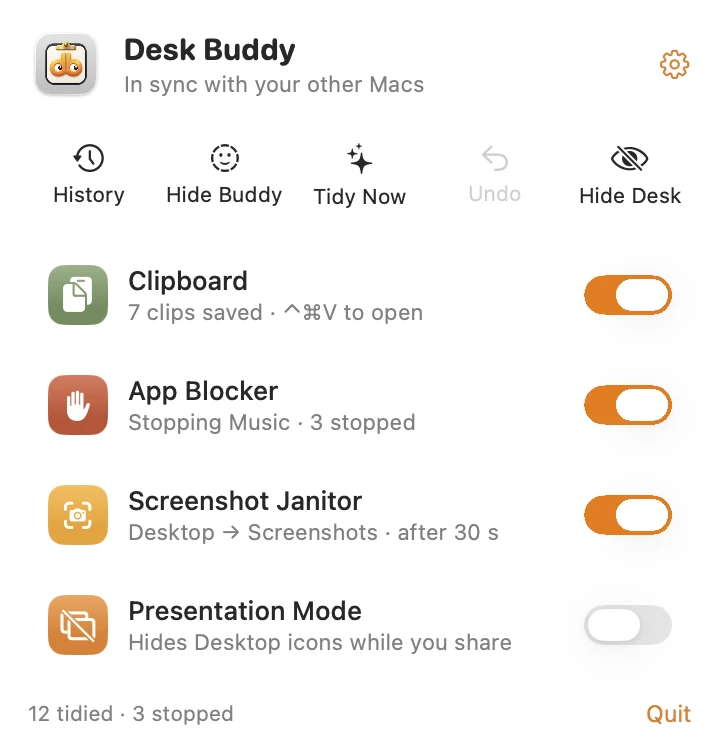
App Blocker is part of Desk Buddy Complete, available now from vistaar.studio: $5 for 1 Mac (₹499 in India), $8 for 2 or $10 for 3, paid up front, instant download. The Mac App Store edition, coming soon, doesn't include App Blocker. Desk Buddy needs macOS 14 or later. Meet Desk Buddy →
FAQ
Why does Music open when I connect my AirPods?
The AirPods send a play command, and macOS's rcd process opens Music to handle it when nothing else is playing.
Is there a setting in Music to stop this?
No. We found no such option in Music on macOS 26.2. Use the AirPods, Finder or Login Items settings above, or a blocker app.
How do I stop Music opening when I plug in my iPhone?
Finder › your iPhone › General › untick Automatically sync when this iPhone is connected › Apply.
Does disabling rcd break my media keys?
It's reported to. Play/pause and skip stop working for other players too; volume keys are said to keep working. Re-enable rcd to undo it.
Does the launchctl rcd command still work on recent macOS?
Reports are mixed, and we haven't tested it on macOS 26. Try it only if you're comfortable undoing it.
How do I stop Music opening at login?
Remove it in System Settings › General › Login Items & Extensions, or untick Options › Open at Login on its Dock icon.