Guides › Photos
Photo and signature size for SSC, UPSC, IBPS, NEET, JEE and PAN (2026)
Updated 26 October 2026 · by Vistaar Studio · every figure checked against the official notice
Short answer: most 2026 exam forms want JPG/JPEG files inside a KB window. Signatures are usually 10–20 KB (SSC, IBPS) or 10–100 KB (NEET, JEE Main). Photos are 20–50 KB at 200 × 230 px for IBPS, 10–200 KB for NEET and JEE, and 20–300 KB for UPSC. SSC CGL now takes a live camera photo instead of an upload. The full table is below, with a link to each official notice.
Coaching sites copy these numbers from each other, and they drift. One says 50 KB, another 100 KB, and a third is still quoting a 2019 notice. So we read the current official notification for each exam and put the figures in one table, with the source next to every row. Then we tested how to hit them on a Mac, because the most common rejection isn't "too big". It's "too small".
The 2026 table
| Exam (notice) | Photo | Signature | Also asked for |
|---|---|---|---|
| SSC CGL 2026 notice, 21 May 2026 | No upload. A live photo is captured by the application: plain background, camera at eye level, no cap, mask or glasses | JPEG/JPG, 10–20 KB, about 6.0 × 2.0 cm (width × height) | Carry 2 recent colour passport-size photos to the exam |
| UPSC CSE 2026 notice, 4 Feb 2026 + OTR FAQ | Upload and a live photo. JPG, 20–300 KB, 350–1000 px per side (OTR FAQ) | Sign 3 times, one below the other, black ink, white paper. Same 20–300 KB / 350–1000 px limits | — |
| IBPS PO/MT-XVI 2026 notification, 30 Jun 2026 | 4.5 × 3.5 cm, 200 × 230 px (preferred), 20–50 KB, light (preferably white) background, plus a live photo | 140 × 60 px (preferred), 10–20 KB, black ink on white, not in capitals | Left thumb 240 × 240 px, 20–50 KB · handwritten declaration 800 × 400 px, 50–100 KB |
| NEET UG 2026 bulletin, Feb 2026 | JPG/JPEG, 10–200 KB, taken after 1 Jan 2026, face 80% of the picture (ears visible, no mask), white background, plus a live photo | JPG/JPEG, 10–100 KB | Finger and thumb impressions (the bulletin gives both 10–200 KB and 50–300 KB; check the form). A 4 × 6 inch postcard photo is carried, not uploaded |
| JEE Main 2026 bulletin, Nov 2025 | Colour, JPG/JPEG, 10–200 KB, face 80% (ears visible, no mask), white background, plus a live photo | JPG/JPEG, 10–100 KB | Class 10 certificate PDF, 50–300 KB |
| PAN (Protean, scanned upload) guideline table | 200 DPI colour JPEG, max 20 KB, 3.5 × 2.5 cm | 200 DPI colour JPEG, max 10 KB, 2 × 4.5 cm | Protean's own articles say max 50 KB and a new 5 × 3.5 cm photo size from 1 Apr 2026. Staying under 20 KB / 10 KB passes either rule |
Things the notices don't say are left out on purpose. For example, none of the NTA bulletins we read asks for your name and date printed on the photo, and NTA gives no pixel size. If your form's screen shows a stricter rule than this table, the form wins. Notifications change every cycle; we'll re-check these rows when the next ones come out.
The "too small" trap (and how to get out of it)
A small, clean image compresses extremely well, so it's easy to end up under the minimum. We resized a photo-style picture to IBPS's 200 × 230 px on macOS 26.2 and saved it as JPEG:
| JPEG quality | File size | IBPS 20–50 KB? |
|---|---|---|
| 60% | 8.2 KB | Too small |
| 80% | 11.3 KB | Too small |
| 95% | 14.5 KB | Too small |
| 100% (maximum) | 45.2 KB | Fits |
Real camera photos have more detail and grain than our test picture, so yours may land a little higher, but the pattern holds. If the portal says "file size should be at least 20 KB":
- Export again at maximum quality. In Preview's Export window, drag the Quality slider all the way right and watch the File Size readout.
- If the pixel size is only "preferred" (IBPS uses that word), a slightly larger image, say 300 × 345 px, gives you more KB to play with. If the form says the pixel size is required, keep it exact.
- Don't add borders or noise to pad the file. It makes your face smaller than the rule allows.
Signatures hit the same wall harder: in our signature guide a clean 140 × 60 px signature was only about 6 KB even at maximum quality, and that page shows how to fix it.
Make each file on a Mac with Preview
- Work on a copy. Select the photo in Finder and press ⌘ D. Open the copy in Preview.
- Crop. Drag a box so your face fills most of the frame (NTA wants about 80%), then Tools › Crop (⌘ K). For a fixed shape such as 200 × 230 or 3.5 × 4.5 cm, keep the box close to that shape.
- Size. Tools › Adjust Size: choose pixels (or centimetres with 200 pixels/inch for PAN and IBPS scans) and type the numbers.
- Save inside the KB window. File › Export, Format JPEG, then move Quality until File Size sits in the middle of the window, not right at the edge.
- Check the result. Select the file in Finder and press ⌘ I: the size there is what the portal sees.
For a photo that's too big, see how to resize a photo to 50 KB on Mac, which also has a Terminal recipe.
Photo rules that get applications rejected
- Old photos. NEET 2026 wants a photo taken after 1 January 2026, and SSC rejects applications where the live capture is just a photo of an older photograph. Take a new one.
- Background. White or light, plain, no shadows behind your head.
- Face covered. No mask, cap or dark glasses; NTA asks for ears to be visible.
- Signature in capitals. IBPS rejects signatures written in capital letters.
- Mismatch with the live photo. UPSC, IBPS, NEET and JEE now also take a live photo. Upload a photo that actually looks like you today.
A whole set of files at once: Pictailor
We make this app, so read this part with that in mind. If you're filling several forms, or doing it for a class or a cyber café queue, Pictailor does the cropping and KB-fitting in batches on your Mac. It has ready-made sizes for passport, visa and exam photos, and a Signature 10–20 KB size that cleans the paper to white with black ink. File-size limits are checked on the real saved file, and your originals are never changed: the resized copies go into a Pictailor folder beside them.
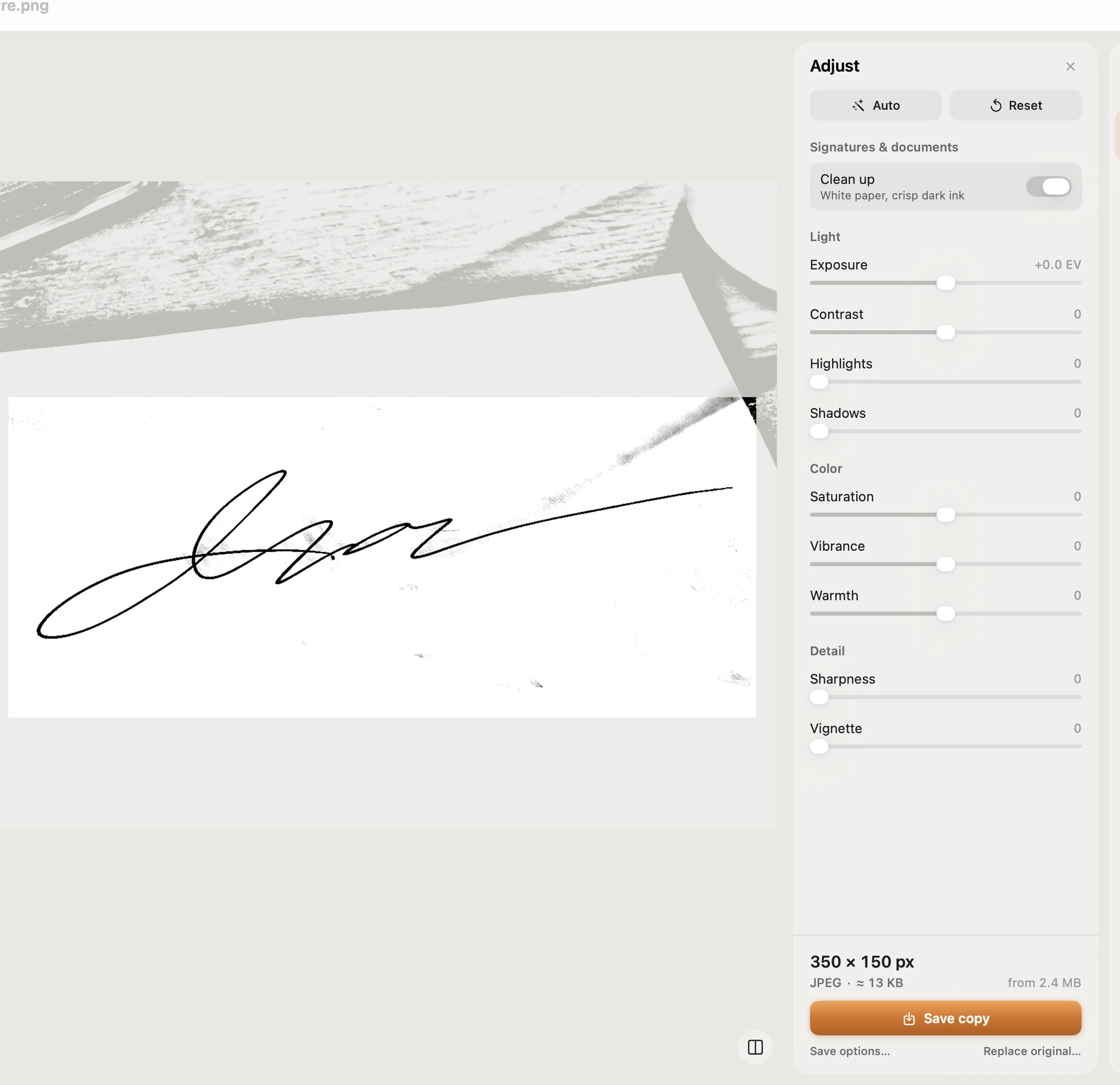
Pictailor never enlarges a photo, so for a KB minimum like IBPS's 20 KB, still check the saved size against the table above.
Pictailor is available now from vistaar.studio: ₹499 in India ($5 elsewhere) for 1 Mac, paid up front, instant download. It's also on the Mac App Store ($4.99). Needs macOS 15 or later. Meet Pictailor →
FAQ
What is the photo and signature size for IBPS 2026?
Photo 200 × 230 px (preferred), 20–50 KB, light background. Signature 140 × 60 px (preferred), 10–20 KB, black ink, not in capitals.
Does SSC still ask for a photo upload?
Not for CGL 2026: the application captures a live photo. The signature is still uploaded: JPEG, 10–20 KB, about 6 × 2 cm.
What photo size does NEET UG 2026 need?
JPG/JPEG, 10–200 KB, taken after 1 January 2026, face 80% of the picture with ears visible, white background. Signature 10–100 KB.
Why does the form say my photo is too small?
It's under the KB minimum. Export again at maximum quality, or use a slightly larger pixel size if the form only "prefers" one.
What is the UPSC photo size for 2026?
JPG, 20–300 KB, 350–1000 px per side (OTR FAQ), plus a live photo. The signature is three signatures, one below the other, in black ink.
Can I resize exam photos on a Mac without an app?
Yes: Preview's Crop, Adjust Size and Export (JPEG with the File Size readout) cover every row in the table.