Guides › Mac clipboard
The best OCR app for Mac in 2026: copy text from anything on screen
Updated 1 November 2026 · by Vistaar Studio
Short answer: start with Live Text. It's free, built into macOS Monterey and later, and copies text from photos, screenshots, PDFs and paused videos in Preview, Photos, Quick Look and Safari. Install a screen-OCR app only if you keep needing text from places Live Text can't reach, like a Zoom share, an app window or an error dialog. Then TextSniper is the dedicated choice, Shottr the cheapest, CleanShot X the best if you also want a full screenshot tool.
A disclosure first: we make Desk Buddy, a clipboard manager with a screen-OCR tool. It's at the end of this page, clearly labelled. Everything about the other apps comes from their own websites or Mac App Store listings, checked on 1 November 2026; where a page is silent, so are we.
What Live Text can and can't do
Live Text turns text inside a picture into text you can select. Open an image in Preview, hover until the pointer becomes a text cursor, drag across the words and press ⌘ C. It also works in Photos, in Quick Look (select a file in the Finder and press Space), on images in Safari, and on paused video since macOS Ventura. If nothing selects, check System Settings › General › Language & Region › Live Text and, in Preview, Tools › Text Selection. Our guide to copying text from an image on Mac walks through each app.
Where it falls short:
- No "grab this bit of the screen". It can't select text in a Zoom or Meet screen share, in many video players outside Safari and Photos, or in an app window that won't let you copy.
- No QR codes. On a Mac, Live Text doesn't decode QR codes (see how to scan a QR code on Mac for the free workarounds).
- Extra steps. Anything outside a file needs a screenshot first.
Two free ways to grab any part of the screen
Screenshot to clipboard, then Preview. No setup at all:
- Press ⌃ ⇧ ⌘ 4 and drag a box around the text. The picture goes onto your clipboard, not your desktop.
- Open Preview and choose File › New from Clipboard.
- Drag across the text and press ⌘ C.
A Shortcut you can run from the menu bar. The Shortcuts app can do it in one go:
- Open Shortcuts, click +, and name it "Copy text from screen".
- Add Take Screenshot, click Show More, and switch it to an interactive custom selection.
- Add Extract Text from Image, then Combine Text (separator: New Lines), then Copy to Clipboard.
- In the details panel, turn on Pin in Menu Bar or add a keyboard shortcut.
It works, but it's slower than a dedicated app, and the Take Screenshot action has broken in some macOS updates.
At a glance
| Price | Needs | Box over any screen area | Reads QR codes | On-device (as stated) | |
|---|---|---|---|---|---|
| Live Text (built in) | Free | macOS 12+ | No | No | — |
| Shortcuts route | Free | Shortcuts app | Yes, via screenshot | — | — |
| TextSniper | $9.99 (Mac App Store) | macOS 12+ | Yes | Yes, and barcodes | Yes |
| Shottr | Free to use; $12 one-time licence | macOS 10.15+ | Yes | Yes | Not stated |
| CleanShot X | $35 one-time (1 year of updates) | macOS 13+ | Yes (Capture Text) | Yes | Yes |
| Desk Buddy Complete (ours) | $5 for 1 Mac | macOS 14+ | Yes | Yes, and barcodes | Yes |
"Not stated" means the official page doesn't say, not that the answer is no. Prices change, so check before you buy.
1. TextSniper: the dedicated text grabber
TextSniper does one job. Press its shortcut, drag over text anywhere (a PDF, a video, a Zoom meeting) and it's on your clipboard. Its App Store listing says the OCR runs on-device with no internet connection. It also reads QR codes and barcodes, reads text aloud, handles vertical Chinese, Japanese and Korean, and supports 25+ languages on the newest macOS.
It's $9.99 on the Mac App Store and needs macOS 12 or later. Direct licences are also sold on textsniper.app.
Good for: heavy daily use when you want nothing else.
2. Shottr: the cheapest full-featured option
Shottr is a screenshot app with annotation and scrolling capture, plus text recognition: press a hotkey, select an area, and the text is copied to your clipboard. It reads QR codes too, and runs on macOS Catalina (10.15) and later, so it suits older Macs.
You can use it for free; after 30 days it starts asking you to buy. The Basic licence is a one-time $12 for one user on up to five computers, and commercial use needs a licence. Its page doesn't say whether OCR runs on-device (it does contact its site for updates and licence checks).
Good for: a budget TextSniper alternative with a screenshot tool thrown in.
3. CleanShot X: if you want a complete screenshot tool
CleanShot X is a full screenshot and screen-recording app, and its Capture Text tool works like the others: select an area and the text is copied to your clipboard. CleanShot says recognition happens completely on-device, it supports 30+ languages, and it reads QR codes.
The Basic licence is $35 once, with a year of updates (renewing updates is optional, $19 a year). It needs macOS 13 or later.
Good for: people who take lots of screenshots anyway. Not for: buying just for OCR.
Our app: Desk Buddy
We make this one, so weigh our words accordingly. Desk Buddy is a clipboard manager for Mac with a small character, Buddy, who lives at the edge of your screen and keeps everything you copy. Desk Buddy Complete includes Copy Text from Screen, which works like the tools above but keeps what you grab:
- Press ⌃ ⌘ 2 (or use the menu bar or Buddy's right-click menu) and drag a box over anything on screen: a paused video, a PDF, a Zoom or Meet share, an image, an error dialog.
- The text goes straight onto your clipboard and into your clipboard history, so it's still there tomorrow. Images already in your history have a Copy Text button too.
- QR codes and barcodes inside the box are read as well.
- Recognition runs on your Mac with Apple's Vision framework, with no network and no account. It reads 20+ languages, including Japanese, Korean and Chinese.
- It needs the macOS Screen Recording permission once, and macOS 14 or later.
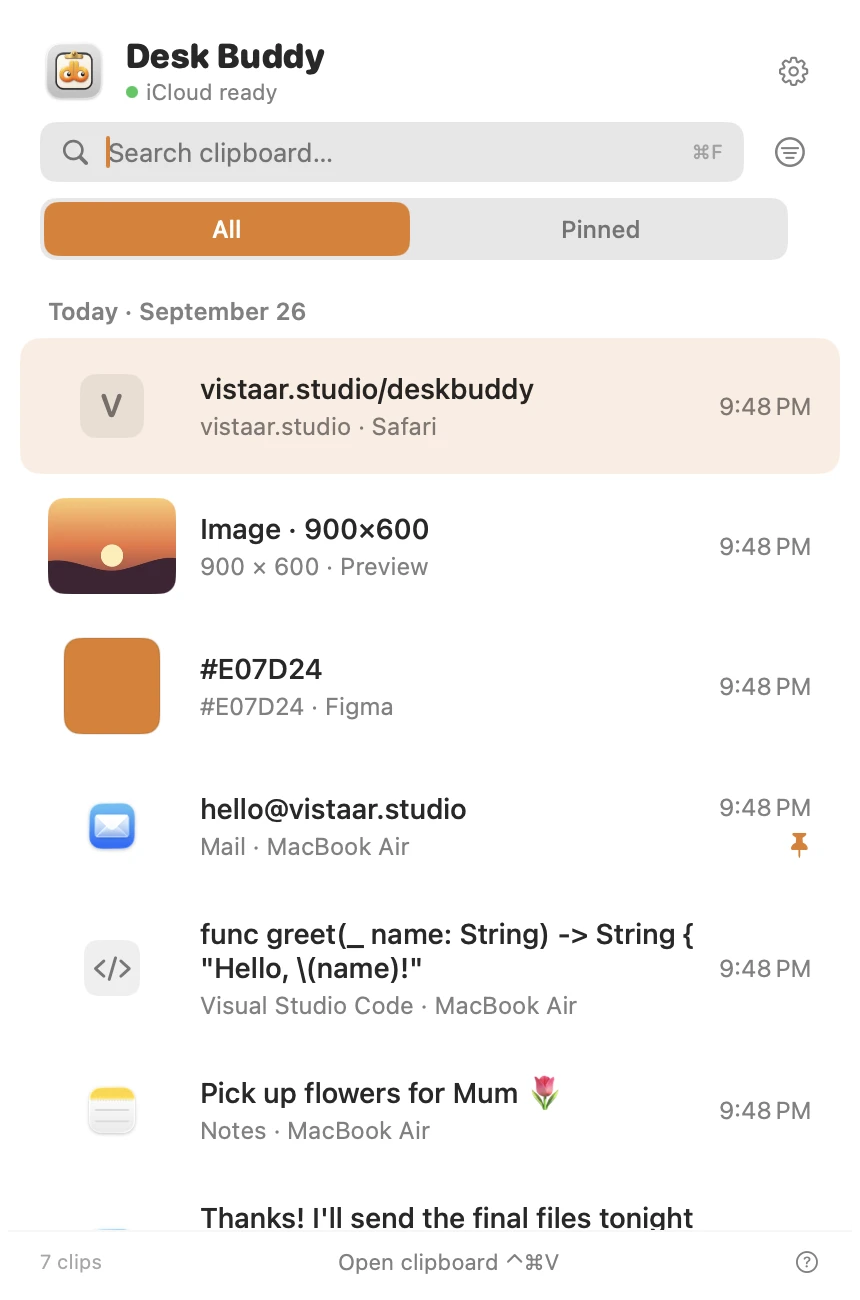
Desk Buddy is available now from vistaar.studio as Desk Buddy Complete: $5 for 1 Mac (₹499 in India), $8 for 2 or $10 for 3, paid up front, instant download. A Mac App Store edition is coming soon: a free download with a 7-day free trial, then a $9.99 in-app unlock. It needs macOS 14 or later. Meet Desk Buddy →
So which should you pick?
- You copy text from photos, screenshots or PDFs now and then: Live Text. Install nothing.
- You need text from a call or a stubborn app once in a while: the screenshot-to-Preview trick or the Shortcut.
- You do it every day and want the dedicated tool: TextSniper.
- You're on a budget or an older Mac: Shottr.
- You also want a serious screenshot and recording app: CleanShot X.
- You want what you grab saved in a clipboard history: Desk Buddy Complete.
Whichever you choose, check the pasted text before you rely on it. All of these can mix up 0 and O or 1 and l, which matters for codes and account numbers. For scanned documents, see how to copy text from a PDF on Mac; Preview can add a text layer to a whole scan.
FAQ
What is the best free OCR app for Mac?
Live Text, built into macOS Monterey and later, for images, screenshots and PDFs. For text anywhere on screen, Shottr is free to use (it asks you to buy after 30 days, and commercial use needs a licence), or build the free Shortcut above.
What is a good TextSniper alternative?
Shottr ($12 one-time licence, free to try) and CleanShot X (from $35) both have the same press-a-shortcut, drag-a-box tool. Desk Buddy Complete, our app, adds it to a clipboard manager.
Can I copy text from a Zoom or Meet screen share on Mac?
Not with Live Text directly. Press ⌃ ⇧ ⌘ 4, drag a box, then in Preview choose File › New from Clipboard and select the text. A screen-OCR app does it in one step.
Does Live Text read QR codes on Mac?
No. TextSniper, Shottr, CleanShot X and Desk Buddy Complete all say they read QR codes inside the area you capture.
Does OCR on a Mac work offline?
TextSniper and CleanShot X say their recognition runs on-device, and Desk Buddy uses Apple's Vision framework on your Mac with no network. Shottr's page doesn't say either way.
Can Mac OCR apps read handwriting?
Neat printed handwriting often works; joined-up writing is hit and miss in every tool. Check the result, especially numbers, codes and email addresses.