Guides › Photos for forms
Passport and visa photo size by country (mm, pixels, KB)
Updated 1 November 2026 · by Vistaar Studio · every row checked against an official government page
Short answer: most countries use a 35 × 45 mm photo (about 1.38 × 1.77 in): the UK, Ireland, Schengen visas and India all do. The big exceptions are the US at 2 × 2 in (51 × 51 mm), Canada at 50 × 70 mm and Chinese visas at 33 × 48 mm. Online applications add their own pixel and KB limits, such as 630 × 810 px for Indian missions or 50 KB–10 MB for the UK. The table below has each country, with a link to the official page.
Photo-shop websites copy these numbers from each other, and they drift. So for every row we read the government's own page and wrote down only what it says. Where a page gives no number, the cell says "not stated".
Rules change. Confirm on the official page before you submit, especially for online forms, which can change their limits without notice.
The table
| Country (document) | Print size | Online upload: pixels | File size / format | Background | Official source |
|---|---|---|---|---|---|
| India (passport, via missions) our India guide | 35 × 45 mm (1.38 × 1.77 in), the usual print; older embassy pages say 2 × 2 in | 630 × 810 px, face 80–85% of the photo | Max 250 KB (Kuwait mission) | White | Embassy of India, Tehran · Kuwait |
| United States (passport) our US guide | 2 × 2 in (51 × 51 mm), head 1–1⅜ in (25–35 mm) | No pixel minimum stated | 54 KB–10 MB, JPG, PNG, HEIC or HEIF (online renewal) | White or off-white | State Dept, photos · digital upload |
| United Kingdom (passport) our UK guide | 35 × 45 mm, crown to chin 29–34 mm | At least 600 × 750 px; don't crop it yourself | 50 KB–10 MB | Digital: plain, light-coloured. Print: cream or light grey | GOV.UK digital · printed |
| Schengen area (visa) our Schengen guide | 35 × 45 mm, face 32–36 mm (70–80%) | Paper photo; none stated | Not stated | Plain and light: white (Germany, India checklist); neutral grey also shown | German missions in India · Warsaw sample sheet |
| Canada (passport) | 50 × 70 mm (2 × 2¾ in), face 31–36 mm chin to crown | Digital: 3:2 portrait, 1,200 × 1,800 px minimum, 3,000 × 4,500 px maximum | 200 KB–5 MB, JPEG | Plain white or light-coloured | Canada.ca passport photos |
| Australia (passport) | 35–40 mm wide × 45–50 mm high | Not stated in the guidelines | Not stated | White or light grey | Passport Office camera operator guidelines (Australian High Commission copy) |
| New Zealand (passport) | Not stated (digital photo) | 3:4 shape, 900–4,500 px wide, 1,200–6,000 px high | 250 KB–5 MB, JPG | Plain, light-coloured | passports.govt.nz |
| Ireland (passport) | Min 35 × 45 mm, max 38 × 50 mm | At least 715 × 951 px | Max 9 MB, JPEG | Plain light grey, white or cream | Department of Foreign Affairs |
| China (visa) | 33 × 48 mm (1.30 × 1.89 in), head 15–22 mm wide, 28–33 mm high | Not on the consulate page | Not on the consulate page | White | Chinese Consulate General, Los Angeles |
| Singapore (visa) | "Passport-sized"; no mm given | 400 × 514 px | JPEG, max 60 KB for visas (ICA's general e-Services page allows up to 8 MB) | White | ICA visa photo answer · ICA photo guidelines |
A few things the table can't fit. The UK and Canada want the digital photo straight from the camera: the UK service crops it for you, and Canada says the file must be saved directly from the original. The US page gives no pixel size at all; the "600 × 600" you'll see elsewhere is just 2 inches at 300 dpi. The China row comes from a 2016 consulate page, the newest official text we could read, so check with your consulate. Singapore's two ICA pages disagree on file size; staying under 60 KB meets both.
Almost every country also wants a recent photo (one to six months old) that is not digitally altered: no background swaps, skin smoothing or filters.
Check and fix a photo on a Mac
Preview, which comes with every Mac, covers the whole table. Work on a copy (select the file in Finder and press ⌘ D).
- Check the pixels. Open the photo in Preview and choose Tools › Show Inspector (⌘ I). The first tab shows the image size in pixels. Tools › Adjust Size shows it too.
- Crop to the shape. Choose Tools › Rectangular Selection, drag a box in the right proportions (35 × 45 is 7:9, the US is square, Canada's print is 5:7, NZ is 3:4), then Tools › Crop (⌘ K). For a square, see how to make an image square on Mac. Skip this step for the UK and Canada online forms.
- Set the size. In Tools › Adjust Size, type exact pixels (for example 630 × 810 for India), or centimetres plus a resolution for a print (3.5 × 4.5 cm at 300 pixels/inch is 413 × 531 px). Don't enlarge a small photo to reach a minimum; take a bigger one.
- Hit the KB limit. Choose File › Export, pick JPEG and move the Quality slider while you watch the File Size readout. Aim for the middle of the allowed range, not the edge. In Terminal,
sips -s format jpeg -s formatOptions 70 photo.jpg --out photo-small.jpgdoes the same at quality 70. More detail: resize a photo to 50 KB on Mac. - Confirm. Select the saved file in Finder and press ⌘ I. The size shown there is what the upload form sees.
Printing at home: in Preview's Print window set Scale to 100%, not "Scale to Fit", or the photo comes out the wrong size. Then measure it with a ruler. For paper forms, some countries (the UK among them) want professionally printed photos, so a photo shop is the safer route.
Indian exam and government forms have their own tighter KB windows; they're collected in exam photo and signature size.
Doing several at once: Pictailor (our app)
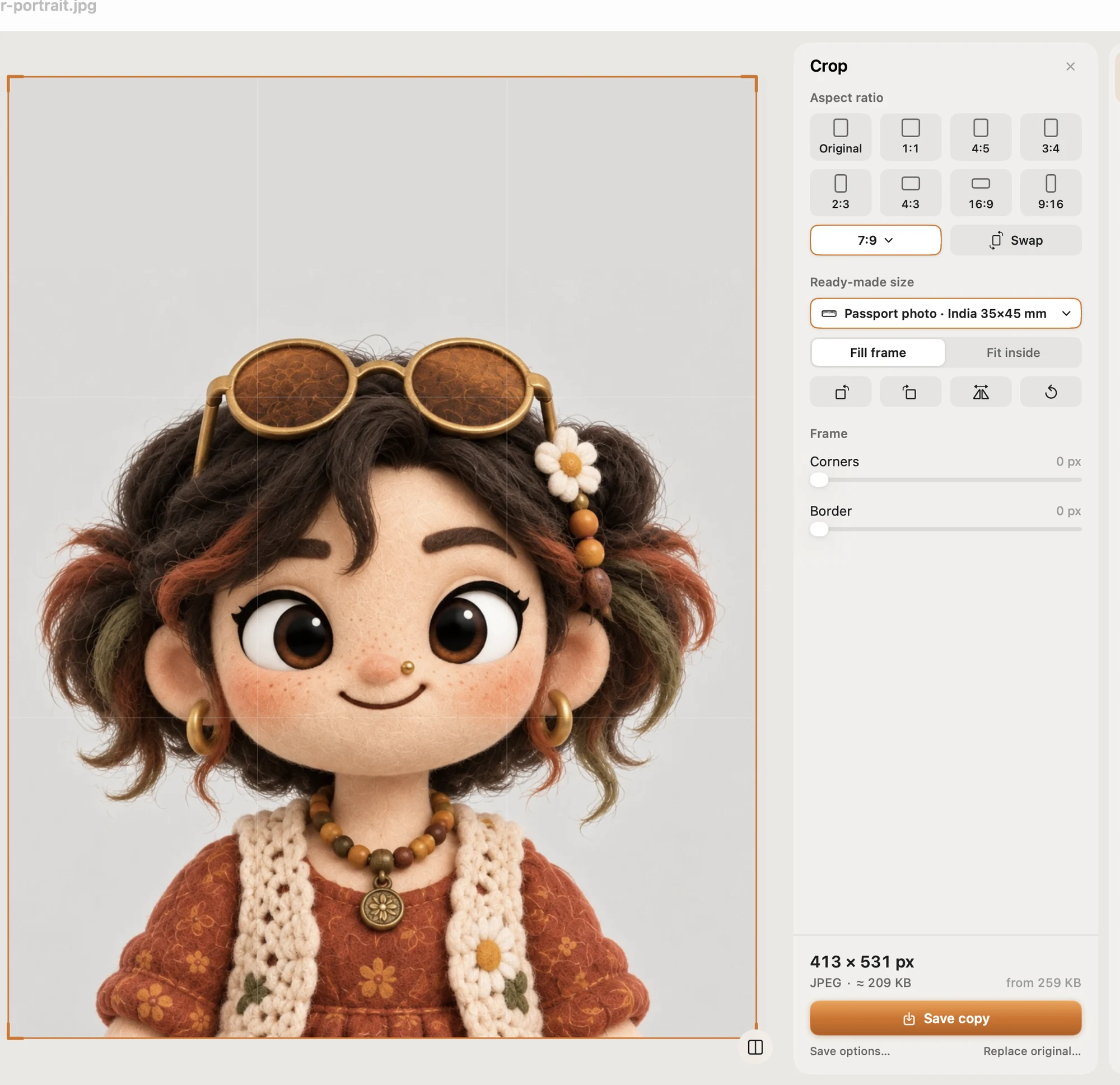
We make Pictailor, so keep that in mind. For one photo, Preview is enough. Pictailor is a batch photo resizer for Mac, handy when a family applies together. It has ready-made sizes for passport, visa and exam photos. For any other country in the table, you can crop to a custom size and compress to an exact KB limit, checked on the real saved file. It never enlarges a photo, and your originals stay untouched: the new copies go into a Pictailor folder next to them.
Pictailor is available now from vistaar.studio for $5 (₹499 in India), paid up front, with a licence key for 1 Mac. It's also on the Mac App Store for $4.99. It runs on Apple Silicon and Intel Macs with macOS 15 or later. Meet Pictailor →
FAQ
What is the most common passport photo size?
35 × 45 mm (about 1.38 × 1.77 inches). The UK, Ireland, Schengen visas and the usual Indian print all use it, and Australia accepts it within a 35–40 × 45–50 mm range. The big exceptions are the US (2 × 2 inches, 51 × 51 mm), Canada (50 × 70 mm) and Chinese visas (33 × 48 mm).
How many pixels is a 35 × 45 mm photo?
413 × 531 pixels at 300 dpi, or 827 × 1063 pixels at 600 dpi. That's print maths, not an upload rule: online forms set their own pixel limits, such as 630 × 810 for Indian missions or at least 600 × 750 for the UK.
What size is a US passport photo in pixels?
The State Department's online renewal page gives no pixel minimum. It asks for a JPG, PNG, HEIC or HEIF file between 54 KB and 10 MB. The printed photo is 2 × 2 inches; 600 × 600 pixels is simply 2 inches at 300 dpi.
Why does the upload say my photo file is too small?
Several countries set a minimum file size: 50 KB for the UK, 54 KB for the US, 200 KB for Canada and 250 KB for New Zealand. Upload the original photo, or export again at a higher JPEG quality. Don't enlarge a small photo to pass the check; it adds no detail.
Can I change the background or retouch my passport photo?
No. India, the US, the UK, Canada, Ireland and German missions for Schengen visas all say the photo must not be digitally altered. Cropping and resizing to the stated size is fine where the country allows it, but retake the photo against a plain wall instead of removing the background.